


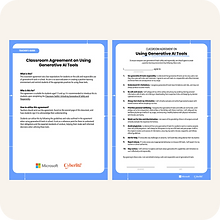
About This Resource
The Classroom Toolkit: Unlocking Generative AI Safely and Responsibly is a creative resource developed in partnership with Microsoft. This learning resource blends engaging narrative stories with instructional information to create an immersive and effective learning experience for educators and students aged 13-15 years.
The toolkit is designed to assist educators in initiating important conversations about responsible AI practices in the classroom, such as the critical topics of content fabrications, privacy considerations, bias awareness, and mental wellbeing.
Learning Objectives
Students will be able to:
Describe the basics of generative AI and address the technology’s limitations.
Apply various prompt engineering techniques to achieve desired outputs.
Explain the importance of fact- checking AI-generated content.
Describe the importance of protecting personal data and privacy while using AI tools.
Evaluate the potential for bias in AI- generated outputs and its implications.
Recognise that generative AI is a tool rather than a social companion and apply their understanding of digital wellbeing to ensure healthy digital usage.
How Use This Resource
With the toolkit, students have the opportunity to actively participate in exercises that explore various generative AI tools such as Microsoft Copilot and prompt engineering techniques. By completing the lessons, students gain valuable insights and develop practical skills to enhance their digital safety. These skills include:
Fact-checking
Cultivating good digital hygiene habits
Safeguarding their data privacy
Adopting strategies to manage their mental wellbeing effectively
Educators can deploy this resource in a single lesson or broken up into four parts. This rough guide suggests how long each section may take, but we encourage extra time for discussion:
Introduction (20 minutes)
Gina’s Fight for the Ocean (30 minutes)
Game On with Alex (30 minutes)
Key Takeaways for Students (10 minutes)
Available in Other Languages
This toolkit is also available in English (US), Chinese (ZH), Dutch (NL), Japanese (JP), Korean (KO), and Malay (MY). These are available to download on Microsoft's website here: https://learn.microsoft.com/en-us/training/educator-center/instructor-materials/classroom-toolkit-unlock-generative-ai-safely-responsibly
Train the Trainer Video Series
Learn to use the toolkit to effectively engage and educate students aged 13-15, ensuring they navigate AI technology with confidence and care. Watch our video series on YouTube here: https://www.youtube.com/playlist?list=PLqsXJ8hNyw2Kzut75dSV6lqNt5vPMQtf3